

Are you planning a hike and wondering if your phone’s GPS can guide you safely through the trails? You’re not alone.
Many hikers rely on their phones to find the right path, but is it really a smart choice? Imagine being deep in the woods and suddenly losing signal or running out of battery—what then? You’ll discover how reliable your phone’s GPS really is, the best ways to use it, and important tips to keep you safe while exploring.
Keep reading to make sure your next hike is both fun and worry-free.
Phone Gps For Hiking
Using your phone’s GPS for hiking can be very handy. It helps you find trails and stay on track. Most smartphones have built-in GPS that works well outdoors. You do not need extra gadgets for simple hikes. Let’s explore how phone GPS works and how it compares to special hiking devices.
How Phone Gps Works Outdoors
Phone GPS connects to satellites to find your exact location. Your phone receives signals from several satellites in space. It calculates your position by measuring the time signals take to arrive. This process works well in open spaces like mountains or parks. Trees and buildings can sometimes block signals. Your phone also uses Wi-Fi and cell towers to improve location data.
Accuracy Of Mobile Gps
Phone GPS is usually accurate within 5 to 10 meters. This is good enough for most hiking needs. Weather and terrain can affect accuracy. Thick forests or deep valleys might reduce signal strength. Newer phones have better GPS chips for stronger signals. Using offline maps can help when there is no cell service. Always check your location several times during your hike.
Comparing Phone Gps With Dedicated Devices
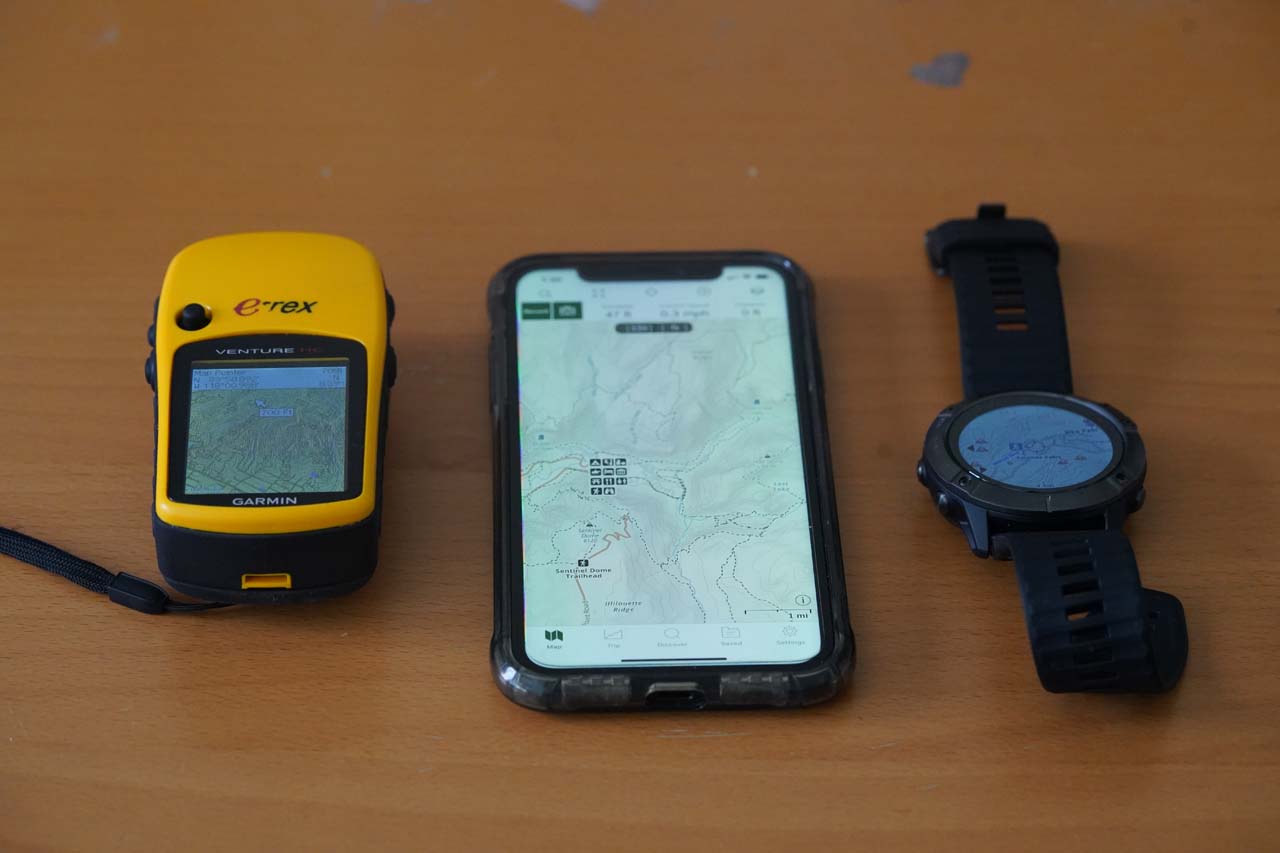
Dedicated GPS devices are designed for outdoor use. They often have stronger antennas for better signal reception. These devices offer longer battery life than phones. They can work in extreme weather or remote areas. Phones are more convenient and multi-functional. They combine GPS with apps, camera, and communication. For casual hikes, phone GPS is enough. Serious hikers may prefer dedicated GPS for reliability.
Credit: www.world-of-waterfalls.com
Preparing Your Phone
Preparing your phone before hiking helps keep you safe and on track. Your phone can guide you through trails and help in emergencies. Setting up your phone correctly ensures the GPS works well in the wild. Take some time to get your phone ready before heading out.
Focus on apps, maps, and battery life. These three areas are key to a smooth hike with your phone.
Essential Apps For Hiking
Choose apps made for hiking and outdoor use. Look for apps with GPS tracking and route planning. Some apps also show weather updates and emergency contacts. Pick simple apps that work well without internet. Test the app before your hike to avoid surprises.
Offline Maps And Downloading Routes
Download maps and routes before you go. Offline maps work without cell service. Save the trail or area you plan to hike. Check if the map shows landmarks and elevation. Having offline maps helps you stay on the right path. It also saves battery since the phone won’t search for signal.
Battery Saving Tips
Keep your phone charged fully before hiking. Turn on airplane mode to save power. Lower screen brightness and close unused apps. Use power-saving mode if your phone has one. Carry a portable charger for longer hikes. These steps help your phone last through the trip.
Safety Measures
Using your phone GPS for hiking is common, but safety is key. Phones can help, but they have limits. Batteries die, signals fade. Taking safety steps keeps you secure on the trail.
Sharing Your Location
Always share your location with a trusted friend or family member. Use apps that let others track your hike live. This helps others know where you are at all times. It also speeds up help if you get lost or hurt.
Emergency Features On Phones
Most phones have built-in emergency tools. Learn how to use SOS calls or emergency alerts. Some phones send your location automatically during emergencies. Keep emergency contacts saved and easy to reach. This can save valuable time in a crisis.
Backup Navigation Methods
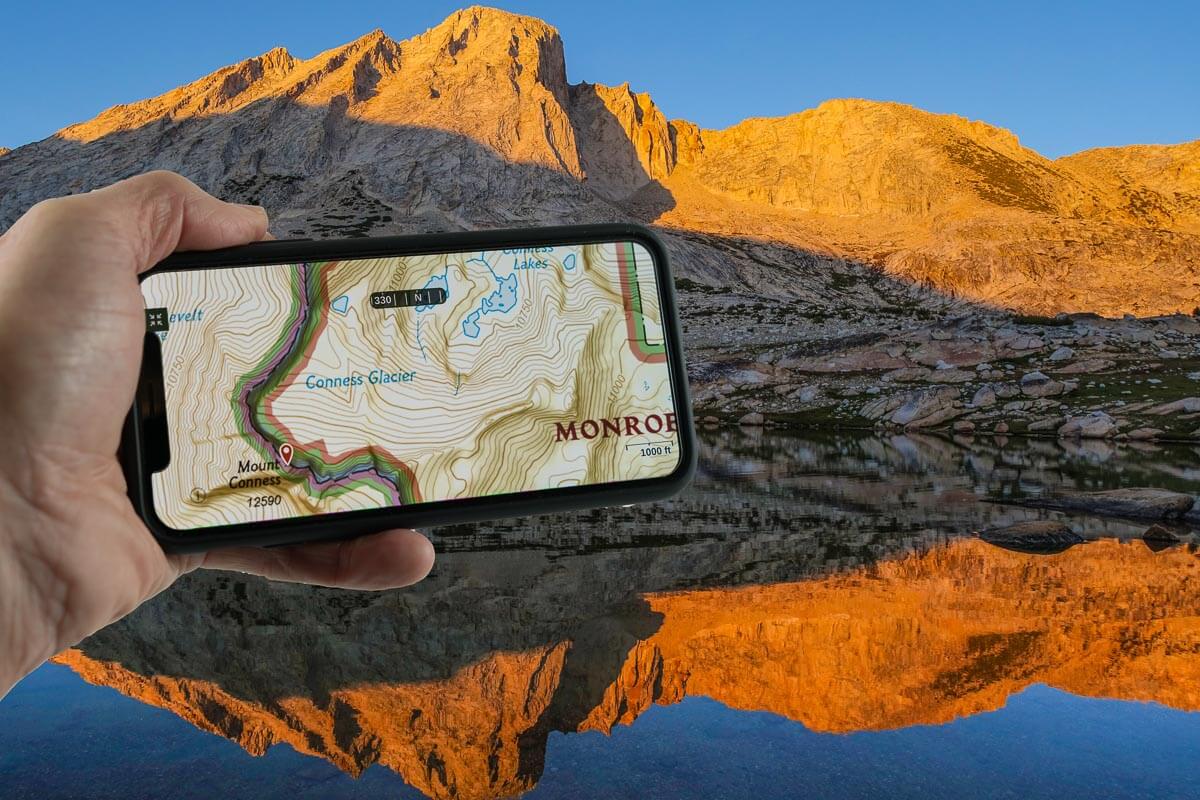
Do not rely only on your phone GPS. Carry a paper map and compass as backups. Know how to use them before you start hiking. Backup tools work without batteries or signals. They are important when your phone fails.
Credit: www.adventurealan.com
Limitations To Consider
Using your phone GPS for hiking has clear benefits. It helps track your path and find directions. Yet, some limits affect how well it works outdoors. Knowing these limits keeps you safer and more prepared.
Signal Loss In Remote Areas
Phones need satellite signals to work well. Deep forests, tall mountains, and valleys block signals. In these places, your GPS may lose connection. This loss can cause wrong location info or no data. Always expect weak signals far from cities.
Battery Drain Challenges
GPS uses a lot of phone power. Long hikes can quickly drain your battery. Using maps, apps, and screen brightens the drain. Without a charger or power bank, your phone may die. Carry extra power sources to avoid losing GPS.
Weather And Environmental Effects
Rain, snow, and fog affect GPS signals. Bad weather reduces satellite connection strength. Cold temperatures can also drain your battery faster. Wet phones may stop working or respond slowly. Protect your phone with covers and keep it dry.
Maximizing Phone Gps Use
Using your phone’s GPS on a hike can be very helpful. It shows your exact location on the trail. To get the best from your phone’s GPS, you need to prepare well. Simple steps can keep your phone working longer and safer.
Maximizing your phone’s GPS use means managing power, protecting your device, and checking your position often. These habits help you stay safe and find your way easily.
Using External Power Sources
Phone GPS uses a lot of battery. Carry a portable power bank to charge your phone during the hike. Choose a power bank with enough capacity for several charges. Keep the power bank in a dry, safe place. This helps your phone stay on longer and prevents it from dying in the middle of the trail.
Protecting Your Phone On Trails
Trails can be rough on phones. Use a strong, shockproof case to protect your device. A waterproof cover is useful in wet or rainy weather. Keep your phone in a secure pocket or backpack compartment. Avoid dropping or exposing it to dirt and water. This keeps your phone safe and working well throughout your hike.
Regularly Checking Your Position
Check your GPS location often during your hike. This helps you stay on the trail and avoid getting lost. Look at your phone screen every 15 to 30 minutes. Note landmarks or trail signs near your position. If the GPS signal is weak, move to an open area. Regular checks give you confidence and control on the trail.
Credit: www.adventurealan.com
Frequently Asked Questions
Can My Phone Gps Reliably Track Hiking Trails?
Phone GPS can track trails but may lack accuracy in dense forests or deep valleys. Use offline maps and GPS apps for better performance during hikes.
How Long Does Phone Gps Battery Last While Hiking?
Continuous GPS use drains battery quickly, often within 4-6 hours. Carry a power bank or enable battery saver mode to extend usage on long hikes.
Is Phone Gps Better Than A Dedicated Hiking Gps Device?
Dedicated GPS devices offer more accuracy, longer battery life, and durability. Phones are convenient but may not perform well in extreme outdoor conditions.
Can I Use Phone Gps Without Internet On Hikes?
Yes, many hiking apps allow offline map downloads. Phone GPS works without internet by using satellite signals, but maps must be preloaded for navigation.
Conclusion
Phones can help with hiking navigation, but they are not perfect. Battery life and signal issues may cause problems on trails. Always carry a backup, like a paper map or compass. Trust your phone’s GPS but stay prepared for surprises.
Safety matters most during any outdoor adventure. Use your phone wisely and enjoy the hike. Stay alert and keep your route clear. Remember, technology supports your journey, but does not replace caution.